Why a Strong Block Library Saves Time for Designers and Developers

Building websites from scratch every time is like reinventing the wheel. Here’s why the smartest teams use a block library and never look back.
Every designer and developer has been there: staring at a blank canvas, trying to remember how they built that footer last month, or digging through old projects just to copy a testimonial section. It’s inefficient, frustrating, and surprisingly common.
A block library, a curated collection of pre-built, reusable UI components, is one of the most underrated productivity tools in modern web development. Whether you’re a solo freelancer, part of a growing agency, or a business owner managing your own site, the right block library transforms how fast and how well you build.
Good design is not about doing more; it’s about doing the right things faster.
~ Dieter Rams, legendary industrial designer & design philosophy pioneer
The Hidden Cost of Building from Scratch
When a designer starts a new page without a library, they spend time on decisions that have already been made a hundred times before: the padding of a hero section, the layout of a feature grid, the spacing of a call-to-action. These micro-decisions compound into hours.
30% of a developer’s time is spent on repetitive UI tasks that could be avoided with reusable components.
That 30% is not abstract on a 40-hour work week; it’s 12 hours. Across a team of five, that’s 60 hours every single week spent doing work that a block library could eliminate or radically compress.
| Did You Know?
The average WordPress website uses 12 or more plugins just to achieve basic design functionality. A block library collapses many of these into a single, optimised add-on, reducing load time, plugin conflicts, and maintenance overhead significantly. |
What Makes a Block Library “Strong”?
Not all block libraries are created equal. A strong one isn’t just a dump of random components; it’s a thoughtfully curated, performance-tested, design-consistent toolkit. Here’s what separates the best from the rest:
- Completeness: Covers the essentials headers, footers, testimonials, hero sections, blogs, pricing without bloating your install.
- Flexibility: Every block is fully customizable in colour, font, spacing, and layout so it fits any brand.
- Performance: Clean, minified code that doesn’t add unnecessary scripts or styles to your pages.
- Responsiveness: Works flawlessly across desktop, tablet, and mobile out of the box.
- Compatibility: Plays nicely with popular themes, page builders, and eCommerce systems like WooCommerce.
- Consistency: All blocks share a visual language so mixed-and-matched pages still look cohesive.
| Quick Fact
Google’s Core Web Vitals research found that a 1-second delay in page load time can reduce conversions by up to 7%. Lightweight block libraries that ship clean code directly contribute to better performance scores and better business results. |
Where the Time Savings Actually Come From
The biggest myth about block libraries is that they just “save a bit of time here and there.” The reality is far more dramatic, and it shows up in very specific places across your workflow.
The first place you feel it is in layout decisions. When you’re building from scratch, you’re not just placing elements; you’re constantly making structural choices. How wide should this hero be? Should the testimonials stack or scroll? How many columns in the feature grid? A block library eliminates these decisions because they’ve already been made, tested, and refined. You’re not choosing — you’re customising. That shift alone saves enormous mental energy.
The second area is cross-section consistency. One of the most time-consuming parts of building a multi-page website is making sure everything feels like it belongs together that the footer matches the header, that the blog grid uses the same spacing rhythm as the features section. Without a library, designers manually enforce this by referencing older pages, copying styles, and tweaking endlessly. With a block library, visual consistency is built in by default.
Third comes responsiveness. Making a page look good on desktop is one task. Making it look equally sharp on a tablet and a phone is often three times the work. Every block in a well-built library is already responsive — tested and adjusted for all screen sizes before you ever drag it onto a page. That’s hours of media query adjustments you simply never have to do.
Then there are client revision cycles. When a client asks to move a section, change a layout, or add a new block to an existing page, a library user can do this in minutes. A scratch-builder has to reconstruct the structure, match the styling, and re-test responsiveness — a process that stretches what should be a five-minute change into a half-day job.
Finally, and perhaps most underestimated, is the time saved on onboarding and handoff. When a project is built from a shared block library, any designer or developer on the team can pick it up immediately they already know the components. Without one, every project is its own unique puzzle that the next person has to reverse-engineer before they can even begin contributing.
Who Benefits Most and How
| Role | Biggest Pain Without Library | Benefit With Library | Time Saved / Project |
| Freelancer | Rebuilding the same sections repeatedly | Launch sites 3× faster, take more clients | 6–10 hrs |
| Agency Designer | Inconsistent design across team projects | Consistent, on-brand results across all pages | 8–15 hrs |
| Developer | Writing repetitive layout code | Focus on logic, not boilerplate UI | 5–12 hrs |
| Business Owner | Depending on devs for basic edits | Self-manage and update pages independently | Ongoing |
| Marketing Team | Slow landing page turnaround | Launch campaigns quickly without dev bottleneck | 4–8 hrs |
The Block Library Workflow: Step by Step
Here’s exactly how a block-library-powered workflow looks in practice — compared to the traditional “start from scratch” approach:
Choose Your Blocks
Browse your library and identify which pre-built sections fit your page layout — hero, features, testimonials, CTA, footer.
Drop Into Your Builder
Drag the block into Elementor. It appears fully structured, responsive, and ready — no code, no empty divs
Customise to Brand
Swap colours, fonts, imagery, and content. Blocks are built to be flexible — the structure is done, you just adapt the skin.
Publish
Hit publish. What used to take days now takes hours. What used to take hours now takes minutes.
| Did You Know?
Design systems and component libraries are used by over 70% of product teams at companies with 100+ employees (Figma State of Design 2024). Small teams and freelancers who adopt even a lightweight block library are using the same strategy that powers the world’s biggest digital products. |
Performance Is Not Negotiable
One criticism of pre-built libraries is bloat. Plugins that try to do everything often do everything badly, loading scripts, styles, and assets for widgets you don’t even use. A well-built block library solves this through:
Conditional loading: Only load the CSS/JS for widgets actually used on a page.
Clean markup: No unnecessary wrapper divs or inline styles cluttering the HTML.
Image optimisation: Responsive image sizing baked into block templates.
Minimal dependencies: No jQuery soup or conflicting script libraries.
| Quick Fact
Websites using lightweight, optimised component libraries consistently score 15–25 points higher on Google PageSpeed Insights compared to equivalent sites built with bloated multi-purpose themes and plugin stacks. Higher scores = better SEO + better UX. |
How OneClickBlocks Does This
OneClickBlocks was designed with exactly this philosophy: give designers and developers the blocks they actually need, built light, built fast, and built to be customised without wrestling with code.
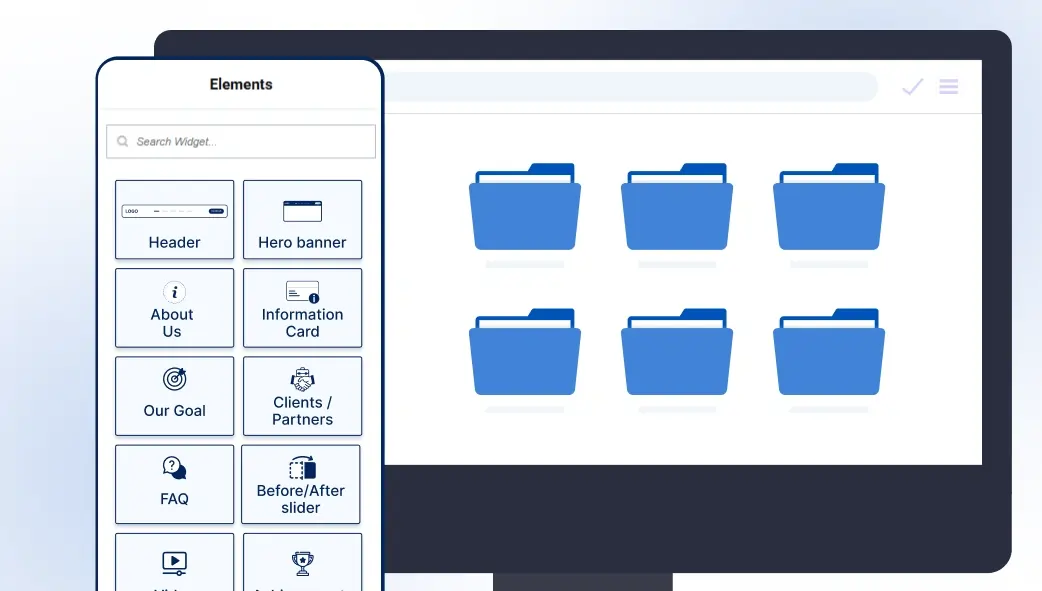
Here’s what the widget library includes today:
Testimonial Widget: Display client reviews in elegant layouts that build instant credibility.
Blog Posts Widget: Grid and list layouts for your latest content, fully customizable. Header & Footer Builder: Design custom site-wide headers and footers without theme restrictions.
Slider Widget: Responsive image or content carousels with smooth controls.
Callout Boxes: Bold, attention-grabbing blocks for offers, announcements, and CTAs.
Service Blocks: Clean, modern layouts to showcase what you offer.
Content Blocks: Full pre-designed section templates for rapid page construction.
Every widget is built for Elementor (Free and Pro), compatible with all major WordPress themes, and tested with WooCommerce so it fits into whatever stack you’re already using.
The best tool is the one that gets out of your way and lets you do great work.
~ Paul Rand, graphic design legend & creator of iconic brand identities (IBM, ABC, UPS)
Bottom Line
A strong block library is not a shortcut; it’s a standard of practice. The best designers in the world work from systems. The best developers build on solid foundations. The difference between a freelancer who delivers in 3 days and one who delivers in 3 weeks isn’t talent; it’s tools.
If you’re building websites with Elementor and you’re not using a block library, you’re leaving serious time (and money) on the table. OneClickBlocks gives you the essential blocks to work faster, design better, and deliver more without the clutter of a dozen conflicting plugins.