How to Create a Homepage Layout Quickly with Ready-Made Blocks

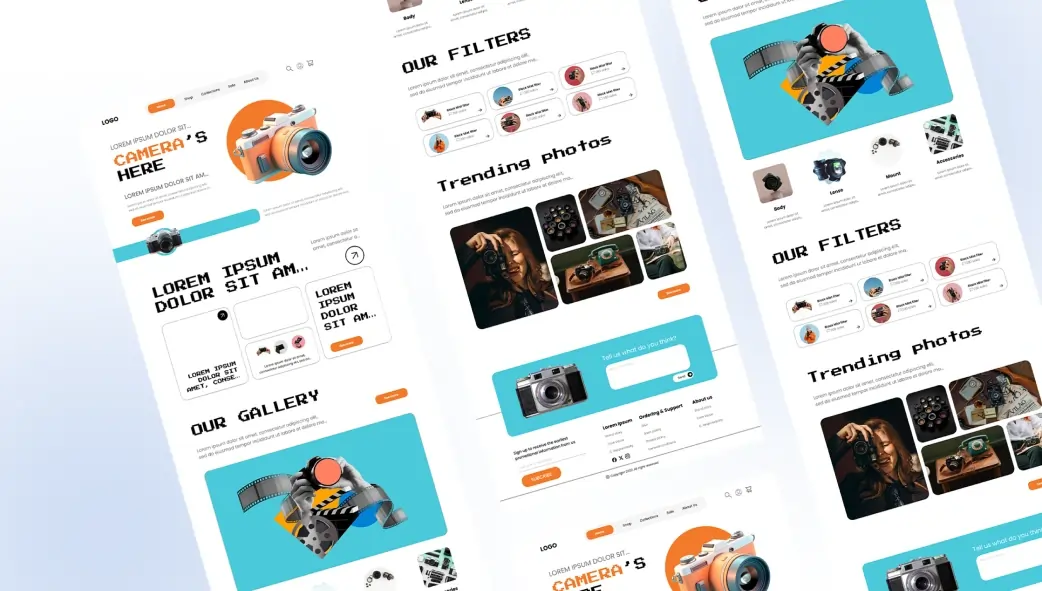
Your homepage is the most important page on your website, and with the right blocks, it doesn’t have to take days to build. This guide shows you exactly how to put one together, from blank page to published, the smart way.
Most people spend weeks, sometimes months, agonising over their homepage. They redesign it three times, change the headline every other day, and still feel like something’s missing. The problem isn’t usually lack of effort. It’s lack of a clear process.
A homepage built with ready-made blocks sidesteps the chaos. Instead of making a hundred small design decisions from scratch, you work with professionally built sections, slot in your content, and refine from there. The structure is already solved. You just need to fill it in purposefully and quickly.
This guide walks you through the entire process: what to plan before you open Elementor, which blocks to use and in what order, and how to polish the result into something you’re genuinely proud to send people to.
- 8 sec Average time a visitor decides whether to stay or leave your homepage
- 55% of visitors spend fewer than 15 seconds on a homepage that lacks clear structure
- 3 hrs Average time to build a complete homepage using pre-made blocks vs. 3–5 days from scratch
Why Your Homepage Deserves More Strategic Thought Than Any Other Page
Your homepage is not a page. It’s a decision. Every visitor who lands on it is — consciously or not asking the same three questions: Who are you? Can you help me? What should I do next? If your homepage can’t answer all three within a few seconds of scrolling, most visitors will leave before you ever get a chance to convince them otherwise.
The data is sobering. Research consistently shows that visitors form an opinion about a website in under a second and that first impression is rooted almost entirely in visual clarity and layout structure. It doesn’t matter how good your copy is if it’s buried under a confusing hero, mismatched fonts, and sections that don’t follow a logical narrative flow.
This is exactly why the block-based approach to homepage building is so powerful. When you start with professionally designed, structurally sound sections rather than a blank canvas, you begin from a place of visual credibility. Your job then becomes filling in your story, not figuring out whether your layout will hold up.
| Key Fact
According to a Stanford University Web Credibility Study, 75% of website visitors judge a business’s credibility based on their homepage design not their content, not their testimonials, not their prices. The layout and visual quality of your homepage is your most important trust signal, and it’s the first thing every visitor evaluates. |
Before You Open Elementor: The 10-Minute Homepage Plan
The biggest mistake people make when building a homepage is opening the page builder before they know what they’re building. Fifteen minutes of upfront planning saves hours of backtracking later. Here’s what to clarify before you touch a single widget.
Know your primary visitor
Before anything else, answer this: who is the most likely person landing on your homepage, and what are they hoping to find? A freelance designer’s homepage visitor is usually a potential client evaluating whether to hire. A local restaurant visitor wants a menu and a reservation option. A SaaS founder’s homepage visitor is typically someone who’s heard of the product and wants to understand it quickly. The entire structure of your homepage flows from this single answer.
Define your one primary action
Every homepage should have one primary action one thing above everything else that you want visitors to do. Book a call. Download the free plan. Browse the menu. Sign up for updates. When you try to push visitors toward three or four different actions simultaneously, they feel pressure and often choose none of them. Pick one. Design toward it.
Gather your assets before you start
The fastest homepage builds happen when everything is ready before you begin. Before opening Elementor, make sure you have: your logo in PNG format, your two or three brand colours noted down, at least one high-quality image or visual, your headline and subline copy written, your three to five key services summarised, and two or three short client testimonials ready to use. With all of this in hand, building the homepage becomes a matter of placement not creation from scratch.
| Did You Know?
Professional web designers report that pre-build planning — defining the page goal, visitor type, and content before touching any design tool — reduces total homepage build time by an average of 40%. The planning isn’t overhead; it’s the fastest part of the process. |
The 6 Core Sections Every High-Performing Homepage Needs
Stripped down to its essentials, a homepage that converts has six core sections in a specific order that mirrors how visitors think. Each one answers a different question in their minds. Together, they form a complete, logical narrative.
Section One: Hero: Who you are and what you do — instantly and unmistakably. The very first thing visitors see.
~20 min to build
Section Two: Services: Specific, scannable breakdown of what you offer. Answers “can you help me?” in seconds.
~15 min to build
Section Three: Testimonials: Real words from real clients. The trust-builder that converts sceptics into enquirers.
~10 min to build
Section Four: About / Story: A brief human glimpse at who’s behind the business. Builds connection before conversion.
~15 min to build
Section Five: Call to Action: Your clear, singular ask. This is the moment visitors decide to take the next step.
~10 min to build
Section Six: Footer: Navigation, contact info, and trust anchors. The final impression for your most engaged visitors.
~10 min to build
Notice something about that order. It follows the natural progression of a visitor’s thinking: Who is this? What do they do? Can I trust them? Who are they really? What do they want me to do? Where can I find more? Build your homepage in any other order, and you’ll be fighting against the natural flow of how people evaluate a new business online.
Building Your Homepage Step by Step with OneClickBlocks
With your plan in hand and your assets ready, here’s exactly how to build the homepage section by section using OneClickBlocks widgets in Elementor. Follow this process and you can have a fully structured homepage published in a single working session.
- Install OneClickBlocks and create a new page
If you haven’t already, install OneClickBlocks from the WordPress Plugin Directory. Search “OneClickBlocks,” install, and activate. Then go to Pages → Add New in your WordPress dashboard. Give it the title “Home,” click Edit with Elementor, and you’ll be in the page builder with a blank canvas and your full OneClickBlocks widget library in the left panel. Takes about 2 minutes - Set your page as the homepage in WordPress settings
Before you start building, go to Settings → Reading in your WordPress dashboard and set your new page as the static homepage. This way, everything you build here
becomes what visitors see when they arrive at your domain. You only need to do this once.30 seconds — do it first
- Build the Header with the Header Builder widget
Drag the OneClickBlocks Header Builder widget to the very top of your canvas. Upload your logo, set your navigation menu, and add a CTA button with your primary action text. Your header is now persistent across every page of your site.~10 minutes
- Drop the Hero section using a Content Block
Scroll to the Content Blocks section in your OneClickBlocks widget panel and drag a full-width content block onto the canvas below your header. In the Content tab, replace the placeholder headline with your actual headline make it direct, benefit-led, and specific to your visitor. Update the subline with a one-sentence elaboration. Replace the placeholder button with your primary CTA. Upload your hero image or set a solid brand colour as the background. This entire step, once you have your copy ready, takes around. ~20 minutes - Add the Services section with the Service Blocks widget
Drag the Service Blocks widget below your hero. This pre-built widget displays your services in a clean, icon-based grid. In the Content tab, replace each placeholder service with your actual offerings; aim for three to five. Choose an icon from Elementor’s icon library for each one, update the short description to two to three sentences, and optionally link each to a dedicated service page. Style it with a clean white or very light background so it breathes visually after your hero. ~15 minutes - Build trust with the Testimonial Widget
Drag the Testimonial Widget below your services section. Replace each placeholder review with a real testimonial from a genuine client include their name, title or company, and a specific, outcome-focused quote. Three testimonials is the sweet spot for a homepage. In the Style tab, give this section a slightly off-white or warm background to create visual separation from the services section above it. This visual contrast helps visitors understand they’re reading a new type of content. ~10 minutes - Add a brief About / Story section using a Content Block
Use a two-column Content Block for your About section image on one side, text on the other. This doesn’t need to be long: two to three paragraphs about who you are, why you do what you do, and who you serve is plenty. Include a small secondary CTA button linking to your full About page. This section is optional for some business types, but for personal brands, freelancers, and small agencies, it makes an enormous difference to conversion because it adds a human face to the business.
~15 minutes - Place the Callout Box as your primary CTA section
Drag a Callout Box widget near the bottom of the page, before the footer. This section should be visually distinct from everything above it use your primary brand colour as the background to make it pop. Your headline here should be action-oriented and benefit-focused: not “Contact Us,” but something like “Start Building Your Site Today” or “Let’s Work Together.” One button. One ask. Nothing else in this section to distract from the decision.~10 minutes
- Build the Footer with the Footer Builder widget
Drag the OneClickBlocks Footer Builder to the very bottom of your canvas. Add your logo, a brief tagline, your primary navigation links grouped into columns, contact information, and links to your legal pages (Privacy Policy, Terms of Use). Set the footer background to a dark or contrasting color — it signals to visitors that the page has ended and provides a visual resting point. A complete, professional footer is a stronger trust signal than most people realise. ~10 minutes - Preview on all devices, then publish
Click the mobile phone icon at the bottom of Elementor’s left panel to switch to mobile preview. Review every section check that text is readable, images are properly cropped, buttons are tappable, and nothing overflows or looks broken. Do the same for tablet view. When everything looks clean and intentional across all three breakpoints, click the green Publish button. Your homepage is live.
Always do this before going live
Polishing Your Homepage: The Details That Separate Good from Great
The ten steps above will get you a complete, functional, professional homepage. But there are a handful of refinements that take a homepage from “solid” to “impressive” and none of them require additional plugins or coding knowledge.
The homepage polish checklist
Consistent spacing: Every section should have the same top and bottom padding. Open each block’s Advanced tab and standardise padding to 80px top and bottom. Visual rhythm comes from consistency.
Typography hierarchy: Your H1 (hero headline) should be noticeably larger than your H2 section headings, which should be noticeably larger than body text. If they all feel the same size, increase the contrast between them.
Brand colour discipline: Use your primary brand colour sparingly, primarily on CTA buttons and key accent elements. When everything is in your brand colour, nothing stands out.
Image quality check: Every image on your homepage should be high resolution, properly compressed (under 200KB per image), and compositionally appropriate no stretched, pixelated, or visually busy images.
CTA button language: Replace any generic button text (“Click Here,” “Submit,” “Learn More”) with specific, benefit-led alternatives (“Book Your Free Call,” “Start for Free Today,” “See Our Work”).
Blank placeholder check: Do a final read-through of every single text element on the page before publishing. Lorem ipsum placeholder text left in a live homepage is an embarrassing but surprisingly common mistake
The Five Homepage Mistakes That Quietly Kill Conversions
Even with the right blocks in the right order, there are a few mistakes that consistently undermine homepage performance. These aren’t obvious errors they’re subtle missteps that slowly erode visitor confidence and reduce conversion without ever being obviously “wrong.”
✗ A hero headline that talks about you instead of your visitor. “We are a leading digital agency with 10 years of experience” is a headline about you. “Get a website that actually brings in clients” is a headline for your visitor. The difference in engagement — and conversion — is dramatic. Rewrite every headline to centre on the visitor’s outcome, not your credentials.
✗ Too many competing calls to action. When a homepage has five different CTAs — “Book a call,” “Download our guide,” “Read our blog,” “Follow us,” “Watch the video” — visitors experience choice paralysis and often take none of them. Choose one primary action for the whole page and direct everything toward it. All other links should be secondary and visually subdued.
✗ Testimonials without specificity. “Great to work with!” is not a testimonial — it’s noise. Testimonials that convert are specific, outcome-focused, and credible: “Hired them to redesign our site. Within three months, our enquiry rate doubled.” If your current testimonials are vague, go back to your clients and ask them a more specific question: “What was the specific result you got from working with us?”
✗ Ignoring mobile during the build. Over 60% of web traffic now comes from mobile devices. Building your homepage entirely in desktop view and checking mobile only at the end is a recipe for layout problems that require significant rework. Build desktop first, but check the mobile view after every section you add — fix small problems as they appear rather than tackling them all at the end.
✗ A missing or buried footer. Visitors who make it to the footer are your most engaged, most invested users. They’ve read your homepage from top to bottom — and they’re looking for something specific: a phone number, an address, a link to your legal pages, a final sign of legitimacy. A sparse footer squanders this moment. A complete, well-designed footer built with OneClickBlocks Footer Builder converts it.
Your Homepage Is Never Truly “Finished” — And That’s Exactly Right
Here’s the mindset shift that changes how you approach homepage building: your homepage is not a finished product. It’s a living, testable, improvable thing. The goal of today’s build is not perfection — it’s publication. A published homepage that’s 80% of what you want is infinitely more valuable than a perfect homepage that lives only in your Elementor drafts.
Once you’re live, watch how real visitors behave. Which sections do they spend the most time on? Where do they click? Where do they leave? Every answer tells you what to refine. And with OneClickBlocks, refinement is fast — swap a testimonial, update a headline, change the CTA button copy — all without touching code, and all reflected live within seconds of saving.
The homepage you build today with ready-made blocks is the foundation. The homepage you’ll have in six months, shaped by real visitor behaviour, is the destination. Start building. Start publishing. Start learning. The blocks are ready whenever you are.